How do I change the ink color for the design?
When in the Edit area of your online design:
You should see your shirt on the left and the design options on the right.
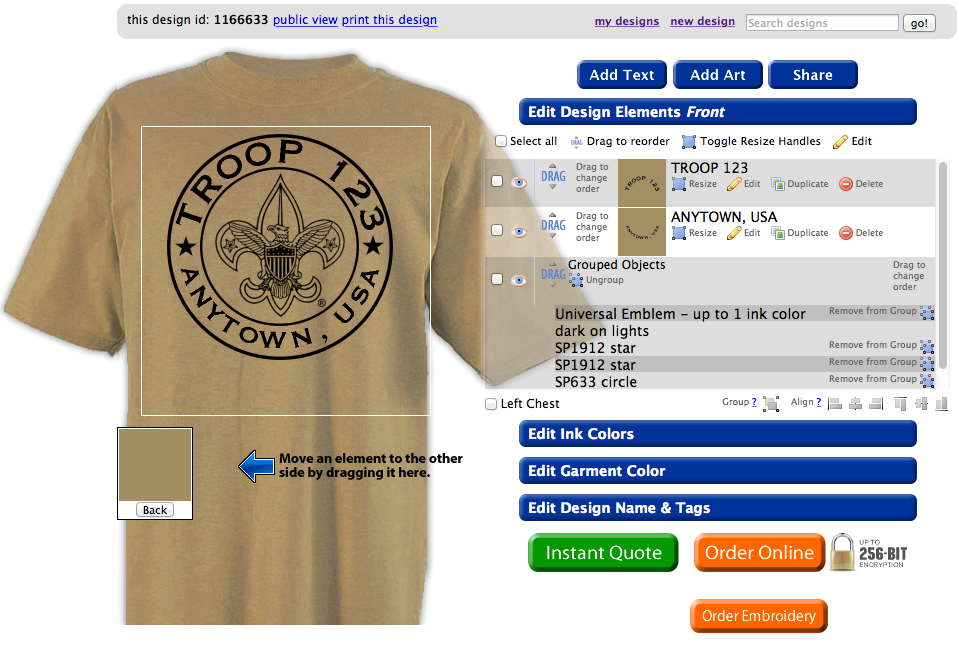
The second design element is Edit Ink Colors. Click on the blue ribbon and that should pull up the following menu.
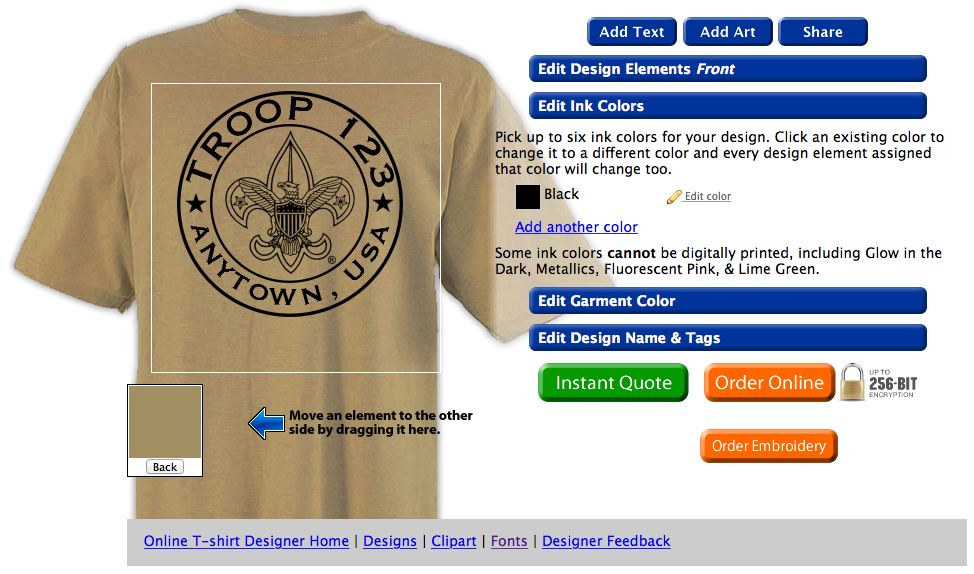
Simply click the Edit Color option next to the color you wish to change. A small selection box will open from which you can choose a different color. Every item in your design that used the old color will then automatically change to the new ink color.

You can also add a new color by clicking the “Add another color” link. The same color selection box will appear for you to choose the new color from. This won’t immediately effect your design, but will allow you to choose the new color when editing a design element. You can choose up to 6 colors for your design!
Note: Some specialty ink colors cannot be used in the Digital Print decoration method, including Glow-in-the-Dark, Metallic Silver, and Fluorescent Pink.
You should see your shirt on the left and the design options on the right.
Notice the design elements to the right of the shirt.
The second design element is Edit Ink Colors. Click on the blue ribbon and that should pull up the following menu.
Notice that the menu shows all of the current colors in your design
Simply click the Edit Color option next to the color you wish to change. A small selection box will open from which you can choose a different color. Every item in your design that used the old color will then automatically change to the new ink color.
Select the color you want from the drop down menu.
You can also add a new color by clicking the “Add another color” link. The same color selection box will appear for you to choose the new color from. This won’t immediately effect your design, but will allow you to choose the new color when editing a design element. You can choose up to 6 colors for your design!
Note: Some specialty ink colors cannot be used in the Digital Print decoration method, including Glow-in-the-Dark, Metallic Silver, and Fluorescent Pink.